Why build your website with AI agents
A page builder rents you a page that cannot grow. Build with an agent and you own the site, it loads fast, and no one can raise the rent.
I have been building websites for over seven years, from WordPress installs held together by a dozen plugins to sites on Webflow, Framer, Squarespace, and Wix. If you have an idea today, putting it online is no longer the hard part.
That ease quietly raised the bar. When anyone can ship a site in an afternoon, standing out gets harder, not easier. Whatever you put up has to be genuinely good and clearly there for a reason, or it blends into all the sites that went live just as easily. That judgment has always been the marketer’s job. What changed is how much of the work is left once the building stops taking time.
So this course keeps the building simple. Foundations got you comfortable in the editor, and here you put it to work. You build a lean skeleton of a site and get it live on something you own. Along the way I point out where the marketing judgment matters, and one lesson is nothing but that question: what goes on the pages, and how to write it.
A few sites I built with an agent
Over the last few months I have built quite a few sites with agents. Here are four of them, all live right now. Each began exactly where you are about to, with an empty folder and an agent. Four different jobs, and the same handful of moves behind all four.
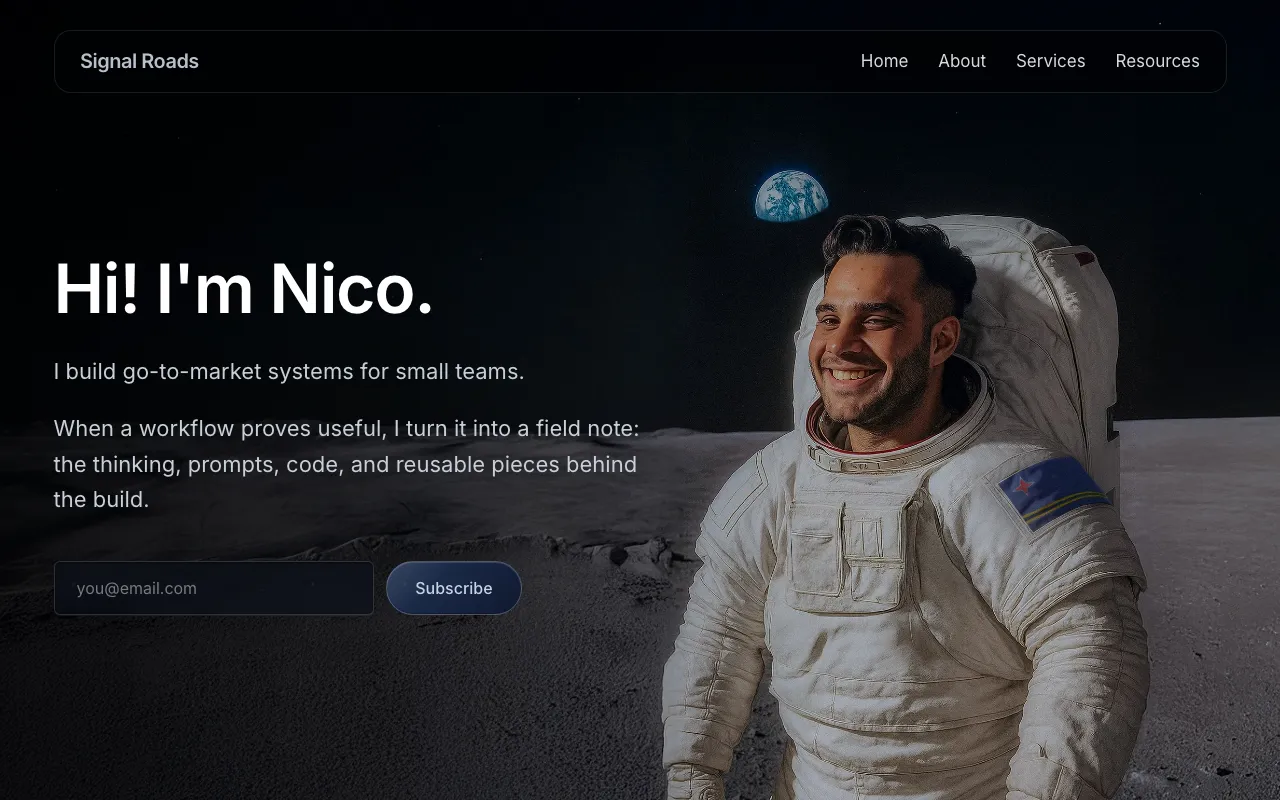 Signal RoadsMy consultancysignalroads.com
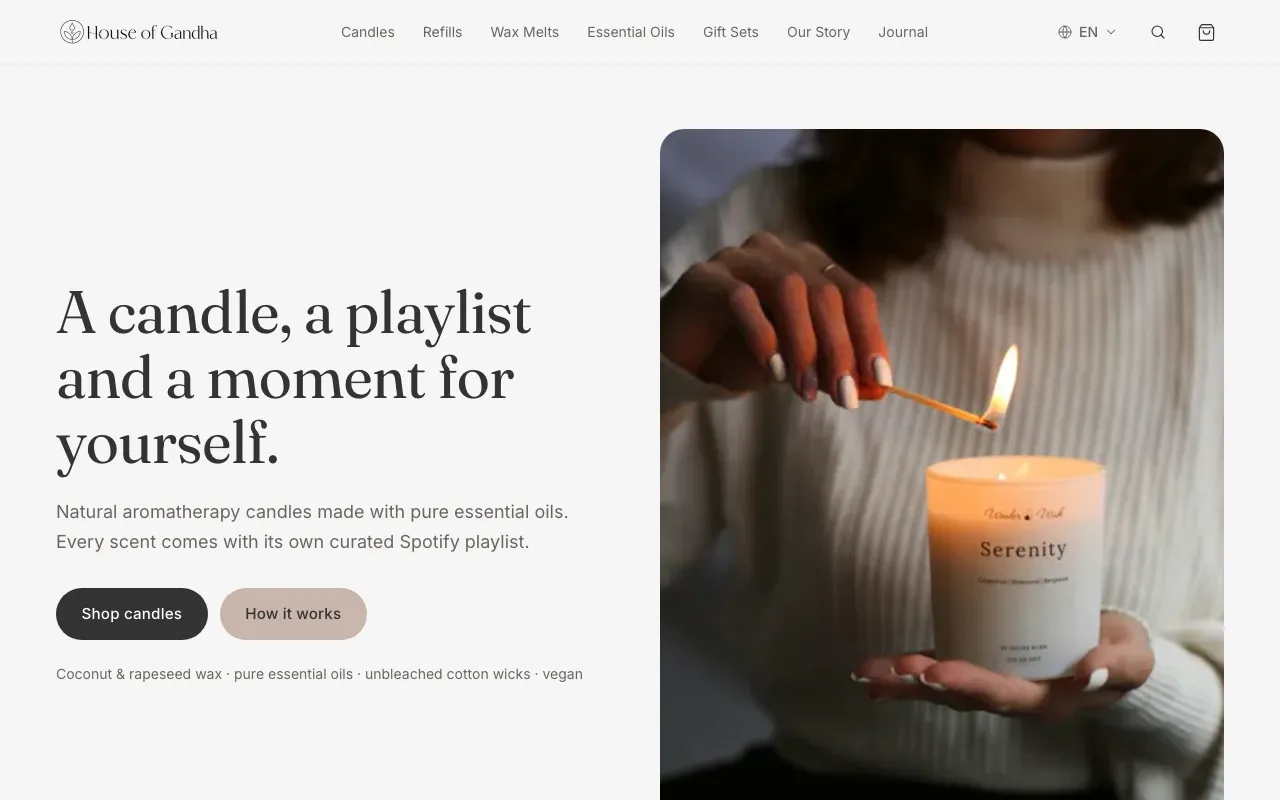 House of GandhaA natural candle brandhouseofgandha.com
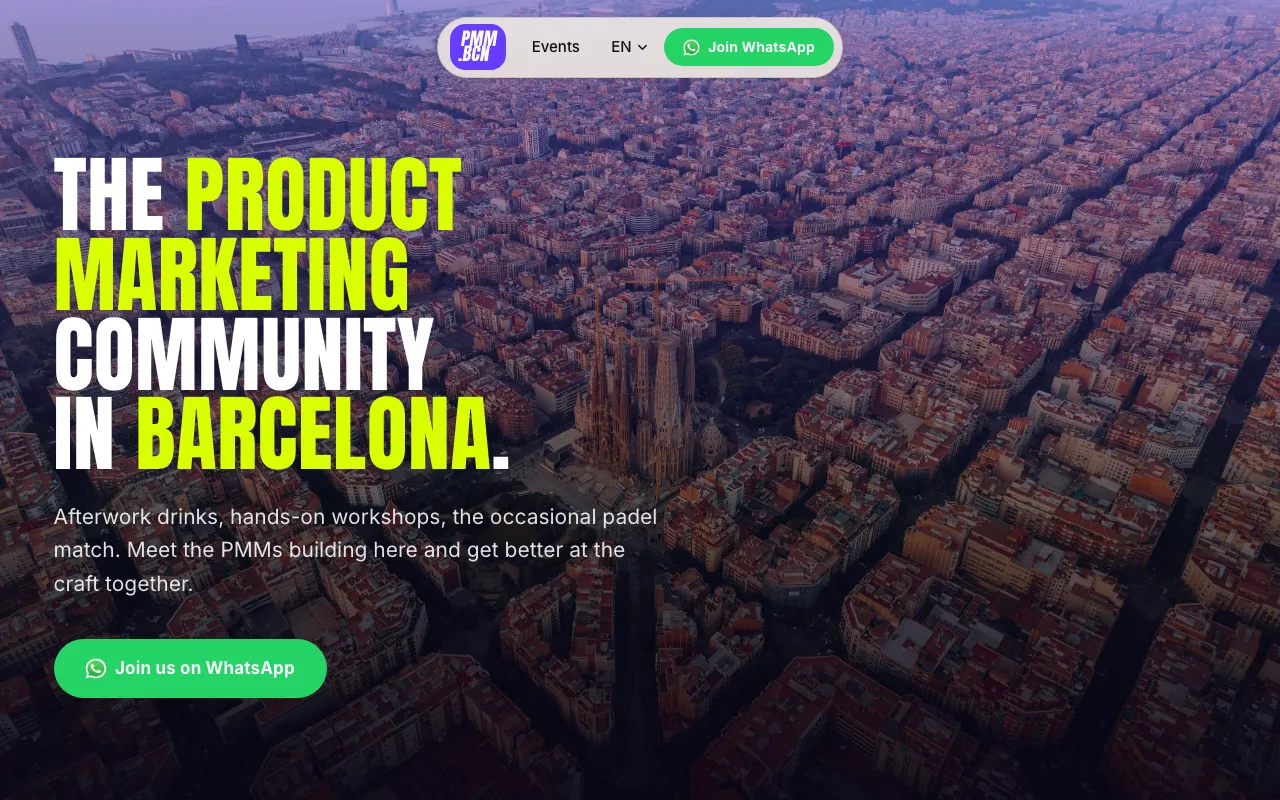 PMM.BCNA marketing community in Barcelonapmmbcn.es
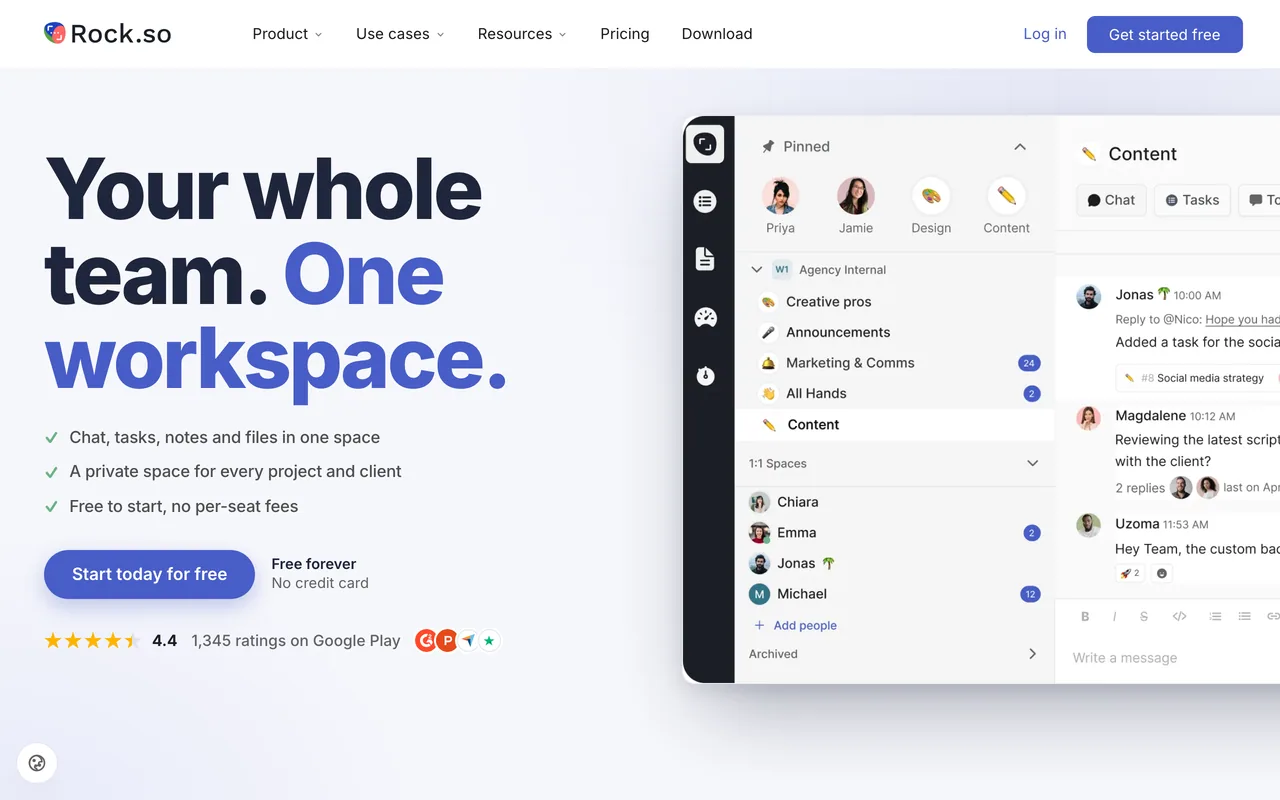 RockA client’s SaaS product siterock.so
Why not just use a website builder?
Every builder I have used eventually ran me into the same wall. I would want one specific thing the tool had not planned for. And there I was, hunting a plugin or pasting a stranger’s code snippet into a little box, hoping it would hold.
- Builder
- A visual tool like Squarespace, Wix, or Webflow. You drag blocks into place and fill in your content, and it writes the code underneath. Genuinely useful, and the reason they took over.
The catch: you are working inside someone else’s system, and stepping outside its lines gets hard fast.
None of this makes builders bad. They exist because writing the code used to be the hard part, and they solved it well. Writing the code is no longer the hard part. An agent does it from plain English, there is no proprietary system to learn, and the files are yours to take anywhere.
What building your own site gets you
Building it yourself is not only cheaper or faster in the abstract. It changes what the site can become.
- No ceiling. signalroads.com, the site you are reading this on, began as a few pages and grew into a full course engine, the stepper rail beside these lessons included. That is a nightmare to build in a no-code tool, and here it is just more files. It loads in a blink and scores a full 100 for accessibility and SEO, earned by checking and tuning, not by hoping.
- No platform tax. houseofgandha.com is a small candle brand with ecommerce built in and no monthly cost for having it. Checkout runs on Stripe, wired straight into the pages, so nothing leaves the business until something sells. For a small creator that is often the difference between launching and waiting.
- Small projects get the real version. pmmbcn.es is a community site I could not have justified spending weeks on the slow way. Building it was quick, so it got done properly: a home of its own for events and sign-ups, instead of a rented link in a bio.
A snapshot, July 2026. Prices shift, so treat these as a rough picture and check each tool’s own page before you lean on it.
Renting: Framer starts around ten dollars a month billed yearly, and Carrd, the budget option, around nineteen dollars a year. The bigger builders sit above both, and every one of them keeps charging for as long as the site exists.
Owning: the domain is the only recurring cost, usually ten to fifteen dollars a year. Astro is free, and the hosting we use in this course is free at this size. The meter never starts.
The one thing you take on is the checking. You own the code, so you click through the site and run the speed test before it goes live. On a site this size that stays light.
What you will have by the end
By the end of these lessons you will have a site of your own, live at its own address. It is a simple personal site: a home page, an about page, a page for your work, and a clear way to reach you.
You build yours next to mine, with your own name on the pages, so the last lesson does not end on a site you watched me build. It ends on yours. Next, we open an empty folder and turn it into a working project.